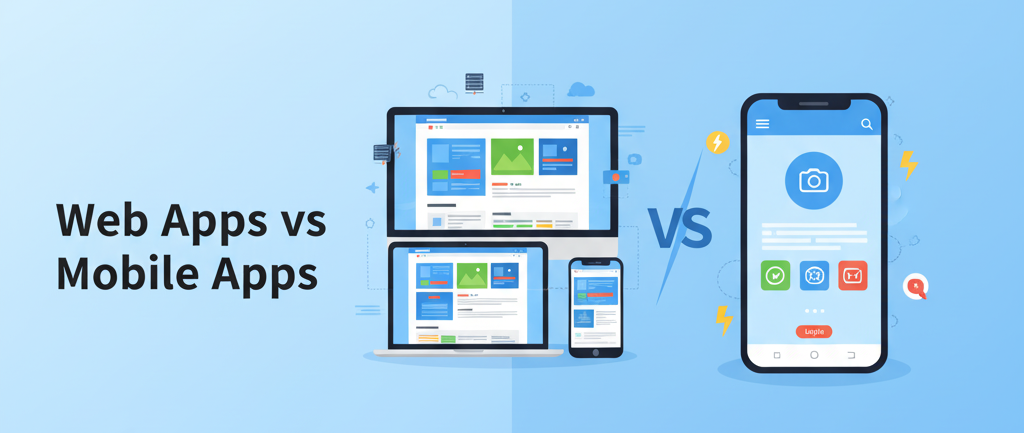
The Fork in the Road
You have an idea. It's solid. You've validated it, sketched some wireframes, and now you're standing at a crossroads that will define your entire product journey.
The question seems simple: "Should I build an app?"
But the real question is much more nuanced: Where should it live, and how should I build it?
This isn't just a technical decision—it's a business strategy decision that impacts your timeline, budget, marketing approach, and user experience. Get it right, and you're building momentum. Get it wrong, and you're burning resources on the wrong platform.
Let's cut through the noise and explore what actually matters.
Understanding Your Options
The app ecosystem isn't binary anymore. It's a spectrum. Understanding each option helps you make the choice that matches your actual business needs—not what you think sounds impressive.
Option 1: Native Mobile Apps
A native app is what most people think of when they hear "app"—something you download from the Apple App Store or Google Play Store that sits on your phone's home screen.
Native apps are built specifically for one platform. iOS apps use Swift, Android apps use Kotlin or Java. They run directly on your device's processor, which means they can do incredible things: leverage the camera at a granular level, track location in the background, access accelerometer data, connect via Bluetooth to hardware devices.
The trade-off? Building native means maintaining two entirely separate codebases if you want both iOS and Android coverage. That's essentially building two different apps.
Who uses this: Instagram, Spotify, high-performance games, fitness trackers, camera apps, anything that needs deep hardware integration.
Cost reality: Expect 6-18 months and $100k-$500k+ to launch on both platforms with professional quality.
Option 2: Web Apps
A web app lives in your browser. No download, no installation. You visit a URL and start using it immediately.
Don't let the simplicity fool you. Modern web apps are powerful. Google Docs is a web app. Figma is a web app. Notion is a web app. They're not lightweight—they're full-featured software that happens to live in your browser.
The magic of web apps is reach. One codebase. One version. Everyone accesses the same application from any device: desktop, tablet, phone, even a smartwatch's browser.
The advantage that changes everything: Instant updates. You fix a bug at 2 PM, and every user sees the fix by 2:01 PM. No app store approval process. No waiting for users to download an update.
Who uses this: Gmail, Slack, Figma, Trello, Airtable, productivity tools, content platforms.
Cost reality: 2-6 months and $30k-$150k to launch a solid MVP that works everywhere.
Option 3: The Middle Path—PWAs and Cross-Platform
The lines have blurred. Two hybrid approaches have emerged:
Progressive Web Apps (PWAs) look and feel like native apps but are built with web technology. They can be "installed" to your home screen, work offline, and send push notifications. They're web apps with superpowers.
Cross-platform frameworks (React Native, Flutter) let you write one codebase and deploy to both iOS and Android without building two separate native apps. You get about 80% of native performance with much lower development cost.
These middle options are where a lot of smart founders are betting right now.
The Real Decision Matrix
Here's what actually determines which path makes sense for you:
1. User Discovery & Distribution
How do people find you?
If your growth strategy relies on organic search—people Googling "budget app for students" or "project management tool"—you need a web app or PWA. Search engines index websites. They don't index app stores effectively. Your SEO strategy dies on day one with an app store-only approach.
If your users already know your brand or you're operating within an existing community (think Starbucks launching a loyalty app), a mobile app is defensible.
Winner: Web app for discovery-dependent businesses. Mobile app for brand-aware audiences.
2. Core Functionality Requirements
What is your app actually for?
If your core feature is graphics-intensive (3D game, real-time video editing, AR experience), native is non-negotiable. The performance difference is massive.
If your app involves reading, content consumption, forms, data entry, e-commerce, or business workflows, a web app handles it beautifully with a fraction of the development complexity.
Winner: Web app for content, business, and commerce. Native for graphics and real-time intensive tasks.
3. Hardware Access Needs
Be ruthlessly honest here. Does your app really need deep hardware access?
There's a difference between "nice to have" and "core feature."
Core feature: A fitness app that needs background GPS tracking. A photography app that needs RAW camera control. A Bluetooth-connected device app.
Nice to have: A form that lets users upload a profile photo. A store locator that uses their approximate location. These work fine in web apps.
Modern web apps and PWAs can access the camera, microphone, and location data. They just can't do it with the same depth and background persistence as native.
Winner: Native for hardware-dependent features. Web/PWA for basic integrations.
4. Timeline & Budget
This is often the deciding factor in the real world.
Building a native app for both iOS and Android is like building two products. You need two teams (or one very expensive team that can do both), and you're maintaining two code repositories forever. Every bug fix requires testing on two platforms. Every new feature means double the work.
A web app is one codebase. One deployment. One team.
If you're bootstrapped or pre-revenue, a web app MVP gets you to market in months instead of a year.
Winner: Web app if you're capital-constrained or time-constrained. Native if you're well-funded and patient.
5. Offline Functionality
Where will your users be when they use your app?
If offline functionality is truly core to your experience (meditation app with downloaded audio, offline note-taking, offline gaming), native apps handle this more reliably.
If offline is a "nice to have" (users mostly use your app online, but occasionally want cached content), PWAs do this elegantly.
If offline isn't really a requirement, this doesn't matter.
Winner: Native for essential offline experiences. PWA for occasional offline use. Web for online-only products.
6. Update Velocity
How fast do you need to iterate?
Startups move fast. You might deploy 5 times a week. You find a critical bug and need it fixed in 2 hours. You want to A/B test a new feature with 10% of users.
With a web app, you update the server and everyone has the new version instantly.
With a native app, you fix the bug, submit it to Apple and Google, wait 4 hours to 2 days for review, and pray users actually download the update. You're literally waiting for app store gatekeepers.
Winner: Web app for startups and agile teams. Native for stable products with planned release cycles.
Specific Use Cases: What Wins?
E-commerce Platform
Best choice: Web App
Why? SEO is critical. Users search for products. You need frictionless purchasing with one-click checkout. You update promotions constantly. Mobile web checkout has reached parity with apps. The 30% App Store tax is a killer on margins.
Fitness Tracker
Best choice: Native Mobile App
Why? Background GPS tracking is core. Push notifications for motivation matter. The app lives on your home screen as a daily habit. Hardware integration (accelerometer, heart rate sensors) is essential. Users expect deep OS integration.
Project Management Tool
Best choice: Web App (with PWA option)
Why? Team members access from laptops, tablets, phones. Real-time collaboration across devices matters. Fast iterations are essential. SEO-friendly sign-ups reduce friction. Eventually offer a PWA for offline collaboration.
Video Game
Best choice: Native Mobile App
Why? Graphics performance is non-negotiable. 60 FPS gameplay requires hardware optimization. Users expect the app on their home screen. Monetization (IAP, ads) is better in app stores. Complex offline logic needs native performance.
SaaS Dashboard
Best choice: Web App
Why? Works on any device with no installation. Team members with different devices share the same experience. Frequent updates don't disrupt workflows. Mobile web is now sophisticated enough for complex dashboards. SEO for "how to [solution]" drives sign-ups.
The Hybrid Reality: A Phased Approach
Here's what successful modern startups actually do:
Phase 1: Launch with a Progressive Web App
Build a PWA first. It costs 40-50% less than native. It launches 3-6 months faster. It works everywhere. You get home screen access, offline capability, and push notifications.
Use this phase to validate product-market fit, grow your user base, and gather real usage data.
Phase 2: Native App for Power Users
Once you have a proven product and a dedicated user community, build a native app for iOS and Android.
But here's the key: you're not building this for everyone. You're building it for your power users—the 20% of users who deliver 80% of your value, engagement, and revenue.
This cohort benefits from deeper hardware integration, smoother performance, and seamless offline functionality. They'll actively download and use a native app.
Meanwhile, your web/PWA continues to serve the broader, more casual user base.
The result: Maximum reach (web/PWA) plus maximum retention and engagement (native for core users).
This approach has been validated by giants like Spotify, Twitter, and Slack. They launched web-first or mobile-first, then expanded to fill the entire ecosystem.
The Hidden Costs Nobody Talks About
When comparing options, don't just look at launch cost. Consider ongoing expenses:
Native App Hidden Costs:
Maintaining two separate codebases
Testing every feature on two platforms
Handling platform-specific bugs
Managing two app store listings
Deploying updates across two review processes
Developer expertise (harder to find React Native devs than React devs)
Web App Hidden Costs:
Hosting and scaling servers
Performance optimization as traffic grows
Browser compatibility testing
Security and compliance (HTTPS, data protection)
Faster feature velocity means faster technical debt accumulation
Reality: Native apps have much higher ongoing maintenance costs. Web apps have higher infrastructure costs. For most startups, web app total cost of ownership is lower.
Making Your Decision: A Checklist
Answer these questions:
[ ] Do users search Google to find solutions in my category?
[ ] Is my core feature graphics-intensive or hardware-dependent?
[ ] Do I have $150k+ and 12+ months for development?
[ ] Is offline functionality truly essential to my product?
[ ] Do I need to deploy updates multiple times per week?
[ ] Is my primary revenue from app store sales (IAP, subscriptions)?
[ ] Do my users already know my brand?
[ ] Does my app require background processing (GPS, music, sensors)?
If you answered "yes" to questions 1, 4, 5, or neither 2, 3, 6, 8: Web app or PWA
If you answered "yes" to questions 2, 3, 6, 7, 8: Native mobile app
If you're torn: Start with PWA. Upgrade to native later.
The 2025 Playbook
The "web vs. mobile" debate as a binary choice is dead. The winning strategy in 2025 is this:
Validate ruthlessly. Use a web app or PWA to prove your concept works and users want it. This takes months, not years.
Build community. Use this phase to understand your core users, your power users, and which features drive engagement.
Expand strategically. Once product-market fit is clear, expand to native apps for your power users. Keep supporting the web app for broad reach.
Iterate constantly. Web apps iterate faster. Use that advantage to outmaneuver competitors who are stuck in app store review queues.
The startup founders winning right now aren't choosing "web or mobile." They're choosing to start lean with web, prove the concept, then expand selectively to mobile.
It's not about picking the perfect platform. It's about picking the platform that lets you learn fastest and scale smartest.
What will your app be? The answer depends on your users, your features, and your constraints. But the right choice is the one that lets you validate your idea before you validate your bank account.
Thanks for reading! Found this helpful? Share it with your network.